

Suitable for:
- Printed invitations
- SMS / Text Message invitations
- Social Media / Messaging Apps invitations (e.g. Facebook, WhatsApp, etc)
Great for when:
- You want a shortcut to invite many people at once
- You already have a chat group or email group for all those invited and
- You don't have contact information for all guests
When using the "One Invitation for Everyone" method...
- You use a single General Invitation Link to invite all of your guests (or many copies of the same print invite)
- Your guests will be prompted to add their own name, email, and number of guests when they view the invitation
- Once they've done this, you'll have access to this info and can easily send update messages to all of your guests
Alternative Method(s):
- You can also add guests by name (and send personalized invitations)
How-to send one invitation to many guests:
Step 1: Access the 'Invite' screen
There are two ways you can access this page:
- You will be automatically forwarded to this page after clicking the "Continue" button on the 'Details' page
- You can come back to this page anytime by opening the event and clicking on "Invite" in the top navigation bar
Step 2: Click the "Invite guests" button
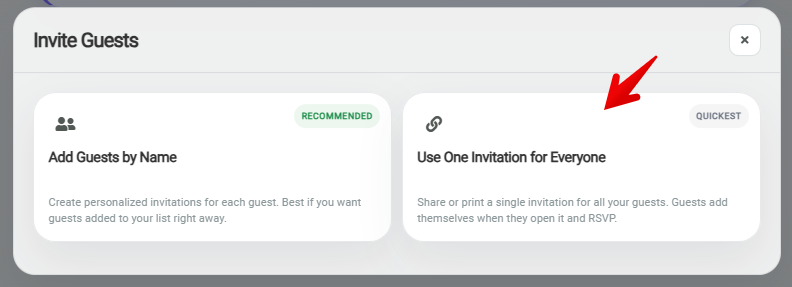
Step 3: Click the "Use One Invitation for Everyone" option
Step 4: Send your invitations
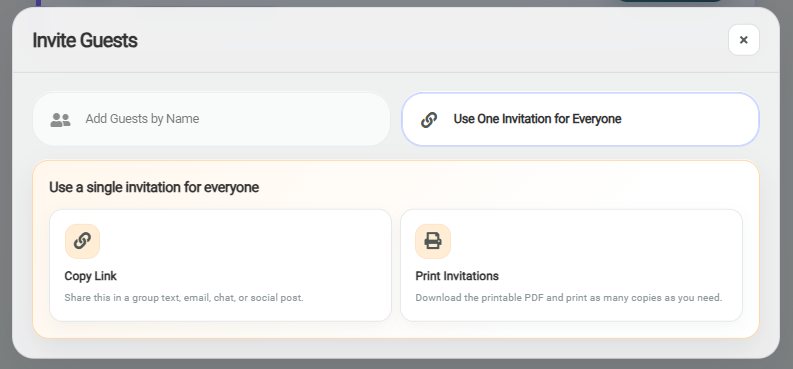
- Option 1: Copy your General Invitation link and share it with all of your guests however you'd like! (email, text, social media, etc)
- Option 2: Print as many copies of your General Invitation as you require and distribute them to your guests. The printed invitations will include basic details AND a QR code/link to access the online version with all the details and a place to RSVP to the party.