


Whether you choose to invite your guests via email, text message, printed invitations, etc. you can track ALL of your guests replies in ONE PLACE 🙌
Here how...
Step 1: Access the "Event Home" page for your event
- Click to "Open Event" from your "My Events" page
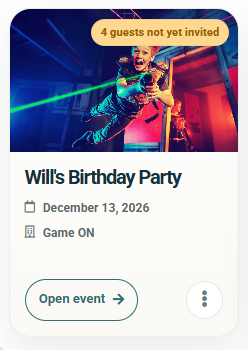
- You can come back to this page anytime by opening the event and clicking on calendar icon in the top navigation bar

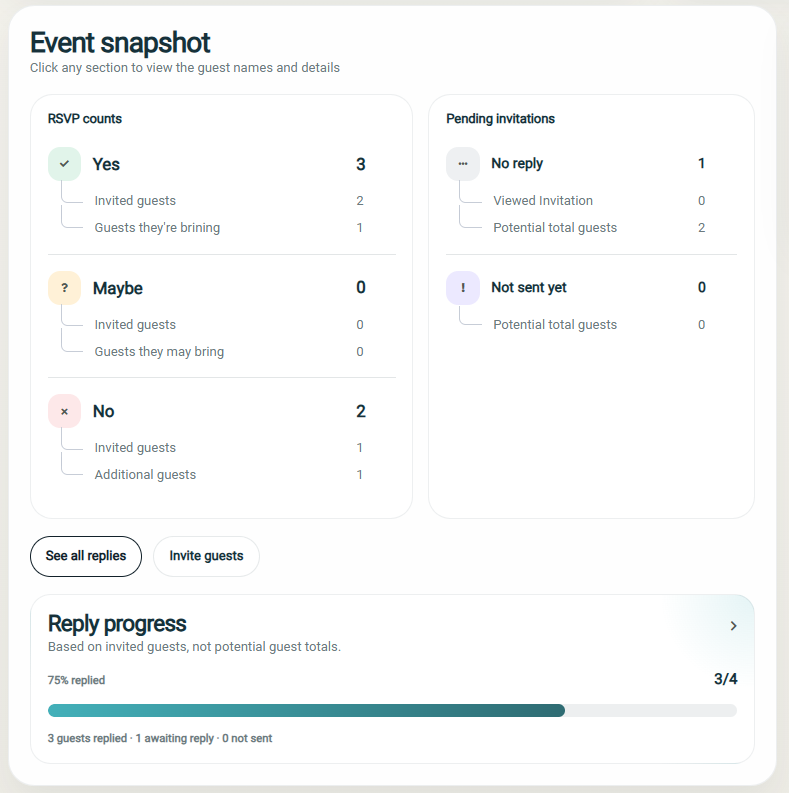
Step 2: Review your event snapshot for numbers
On this page, you'll see your Event Snapshot, which will provide an overview of how many guests have replied and what their attendance status is set to.
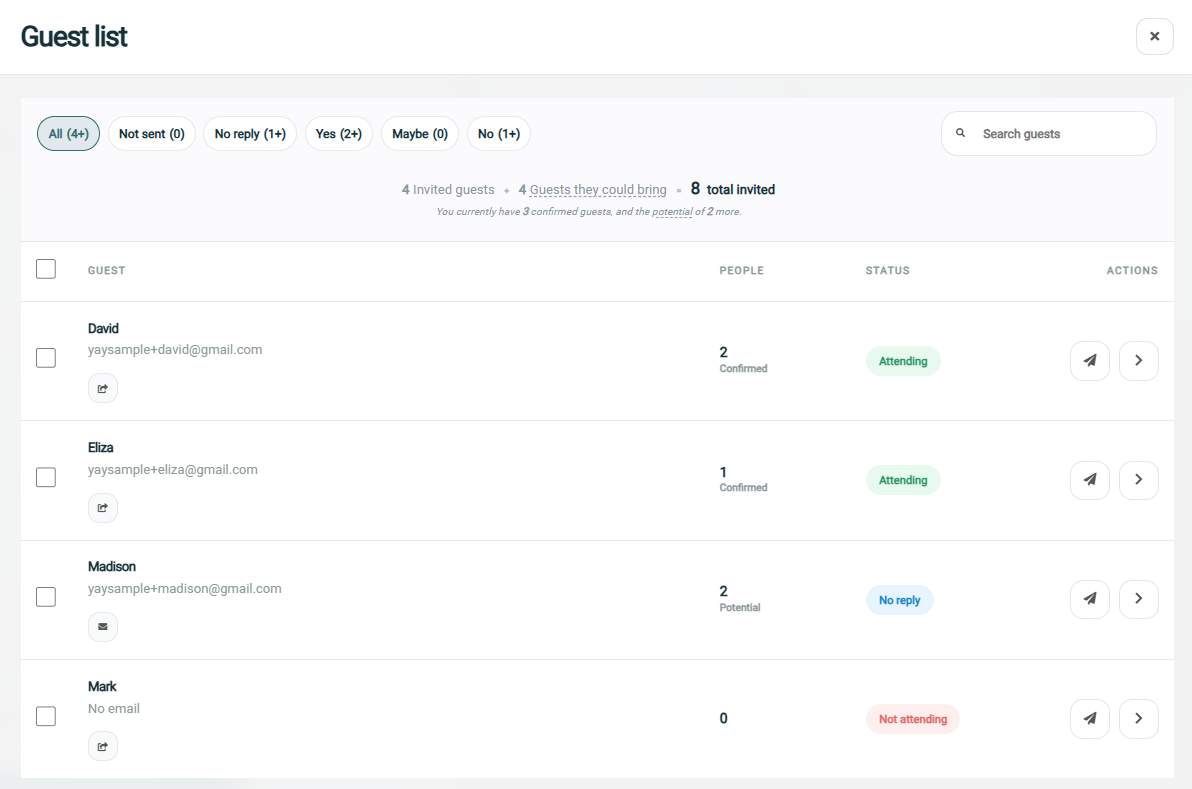
Step 3: Review guest list for individual replies
Clicking on any of the summary sections in the Event Snapshot, or clicking on the "See all replies" button will load the guest list where you can see how each individual guest replied.
Step 4: Manually update a guest and their status (optional)
Check out this help doc that shows you how to edit your guest and their status