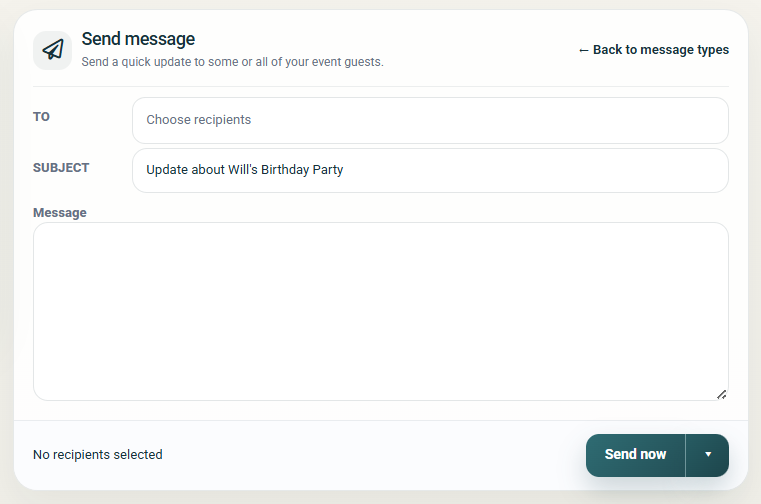


If you want to send your guests an update message or even a post event thank you note, you can do so with just a few clicks!
Here how...
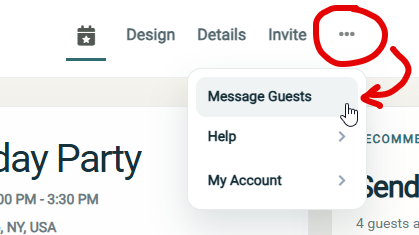
Step 1: Access the 'Message Guests' screen
- You can access this page anytime by opening the event and clicking on the more options icon and then clicking "Message guests" in the top navigation bar
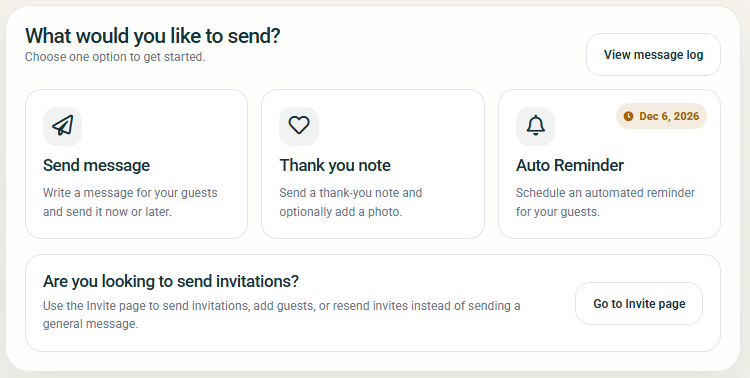
Step 2: Choose your message type
Step 3: Choose your recipients
You can choose to send your message to "Selected guests" or to "RSVP groups".
When you choose from RSVP groups, recipients are selected based on RSVP status on the send date.
Step 4: Prepare your message
- Add your Subject and Message
Step 5: Send or Schedule your message
- To send immediately, click the "Send Now" button
- To schedule your message, click the arrow to select more send options